How it starts
one API call from GitHub Actions or Azure Pipelines, a cron job or your bot
An AI agent you call from CI
Pintle is an API. Your pipeline sends a Slack thread, a Linear issue or a diff, and the agent, a language model reading your rules, files the issue or drafts the pull request.
Free for the first month · no card
Your prompts live in your repo as plain files. Every run is tied to a commit.
The full log of each run lands in your own storage before we call it done.
If we are bought, your prompts and logs stay where they are.
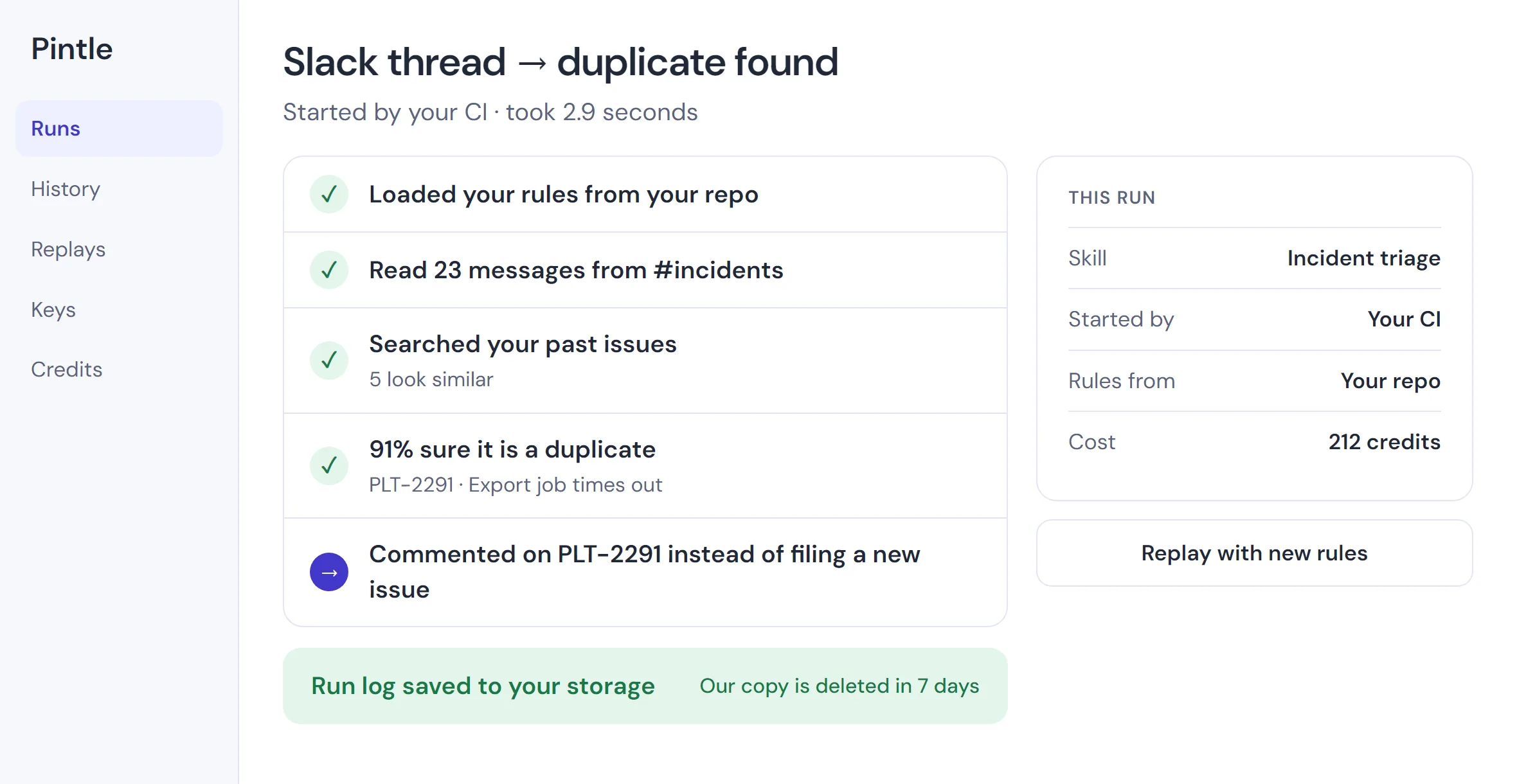
One call
from your CI, a cron job or a bot
€40
per 10,000 credits, prepaid, no organisation fee
7 days
then our copy of your run log is deleted
What you get
Stilla runs when someone mentions it, and its docs list no public API. Once it is folded into Meta’s business agent, triage and PR drafting go back to your engineers.
one API call from GitHub Actions or Azure Pipelines, a cron job or your bot
plain files in your repo, changed by pull request
a full log of every run, in your storage
your tokens travel with each request and are dropped after
your written rules first, then a search of past issues
rerun any past run against a new prompt or model
The product
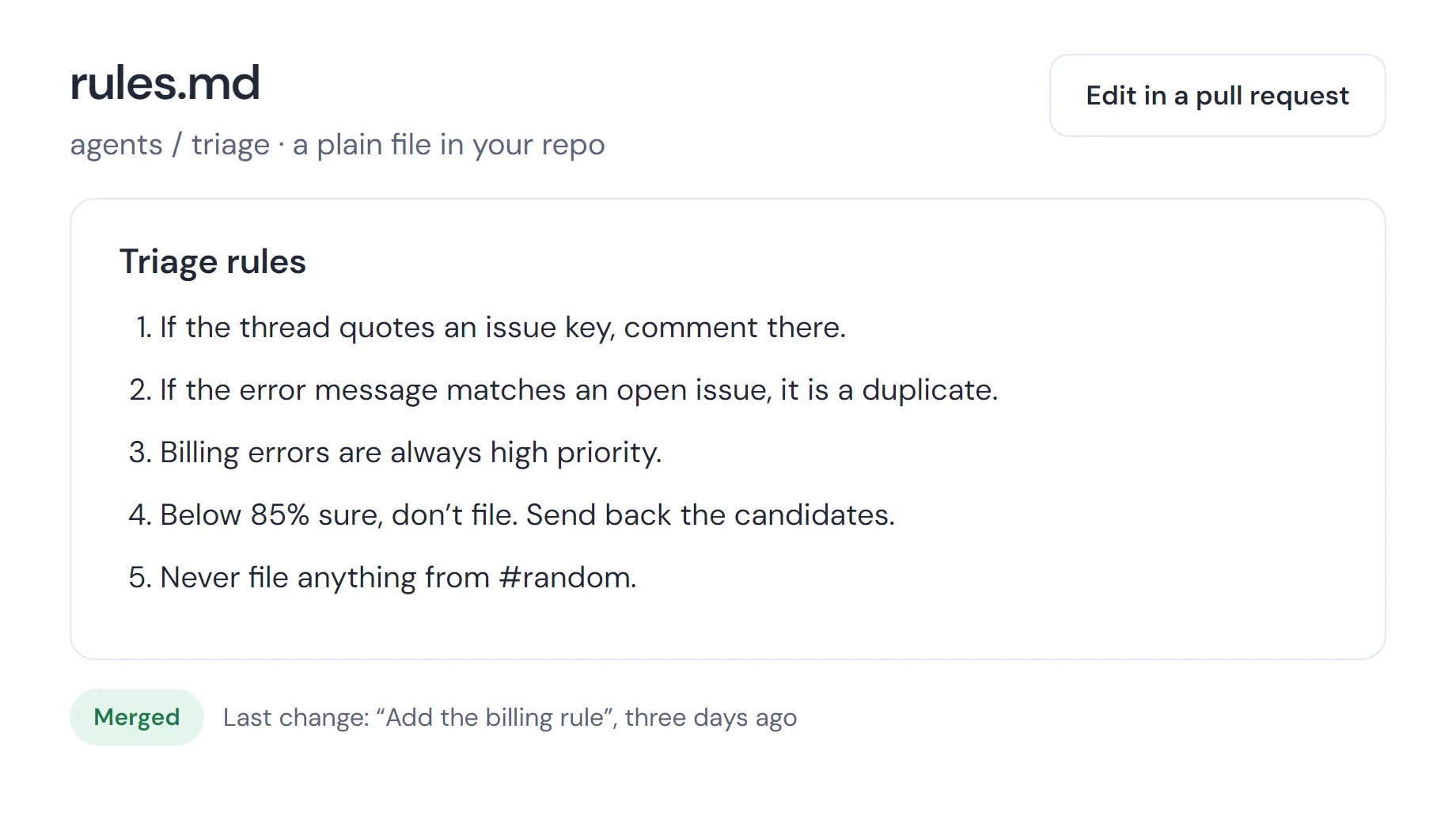
Your rules are a plain file in your repo, changed by pull request
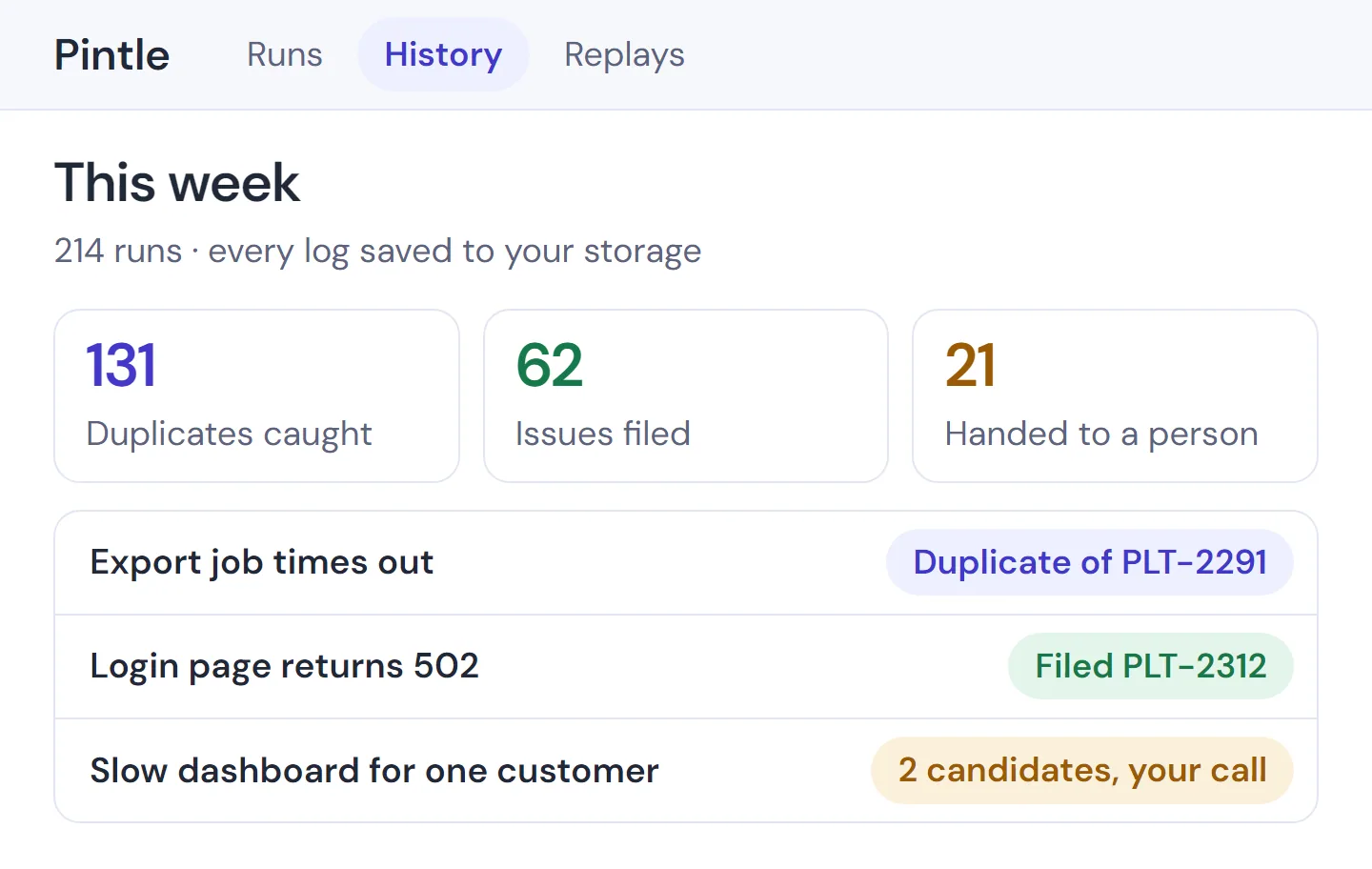
A week of runs, and what each one did
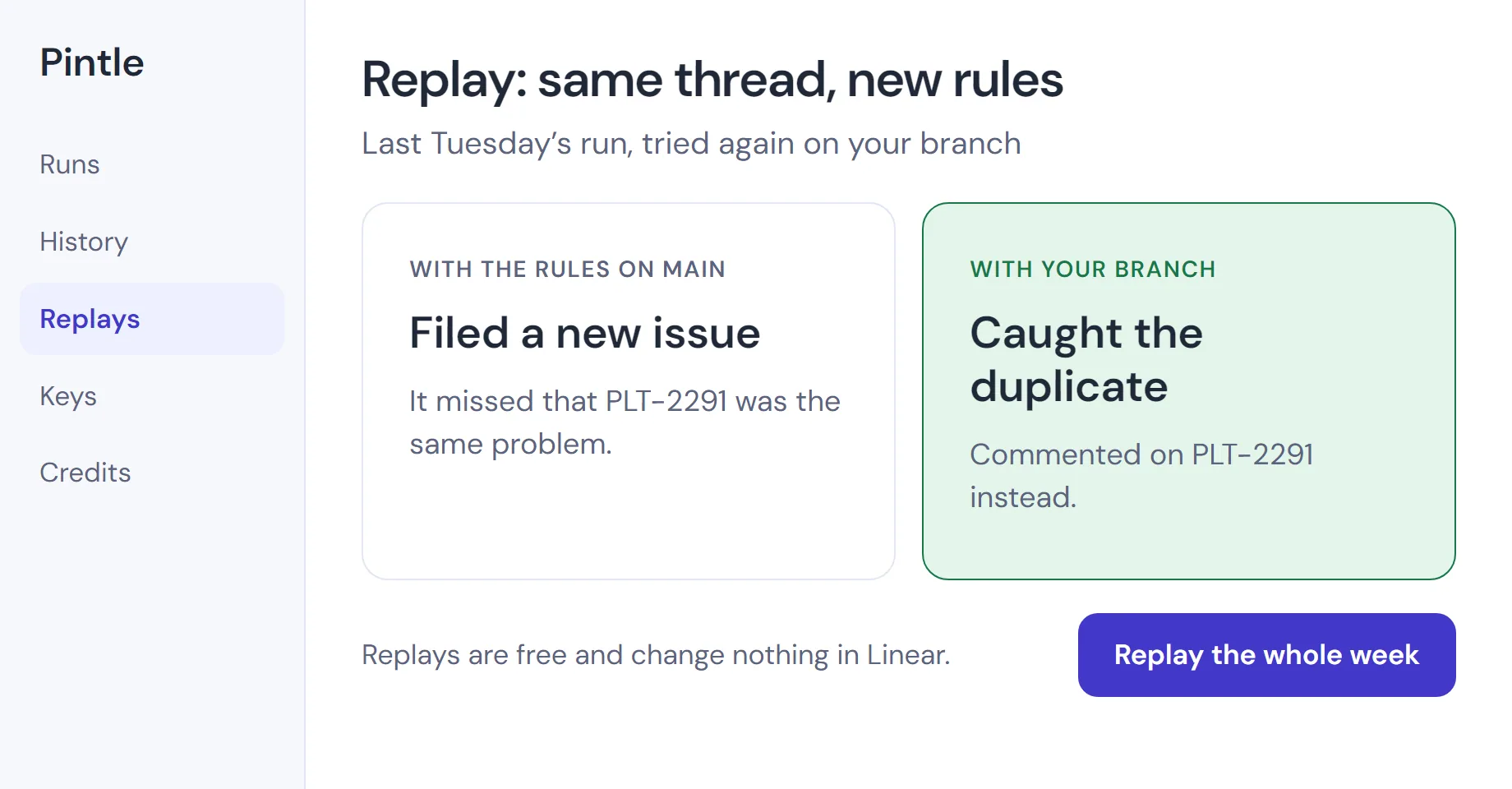
Replay last week’s run against your branch before you merge
Your rules as a plain file, a week of results at a glance, and a replay before you merge.
How it works
Six steps, always in this order.
If your storage never confirms the log, the run fails and you aren’t charged.
Anything already filed stays filed. So do the log lines your storage accepted.
Fetch - pulls your prompt folder at the exact commit you named
Plan - a model reads your rules and decides what to do
Match - checks the obvious first: same issue key, same error, same stack trace
Score - otherwise searches your past issues and ranks the closest
Act or ask - above 0.85 confidence it files or drafts. Below that, your pipeline gets candidates and decides.
Confirm - the log reaches your storage, then you get the OK
Integrations
There is no Connect button. You register the app, create a token with the permissions listed, and send it with each run.
The matcher
A language model plans the run; for matching, a quoted issue key or identical error settles about two in five.
Search and score - embedding search compares the thread with your own Linear issues, then a classifier ranks what comes back
Below 0.85 - Pintle files nothing; the run returns ranked candidates as a proposal and stops
Your pick - a named person chooses, with a button in your Slack bot or a manual gate in CI
What it keeps - the candidate ids offered and the one chosen, never the thread text, tuning only your matching
The API
Start a run, replay a run, refresh your issue index.
Not a dashboard. Our console keeps keys, spend caps and seven days of runs. The full record is in your storage.
Each call says which skill to run, what to work on and which version of your prompts to use.
To start, copy our sample triage folder into your repo, open a pull request and send one request from your laptop.
You get a full log in your storage and an issue filed under your own app’s name.
Why it works this way
There is no prompt editor in our console.
The agent remembers nothing between runs. Everything it knows is in your files or the input, where you can read it.
Scope
Pricing
€40per 10,000 credits, prepaid
One credit is 1,000 tokens, input and output together. No organisation fee, no seats. Stilla’s Team plan is $40 a month per organisation, plus credits.
Run from Dublin by an Irish company that keeps seven days of your runs
After seven days, a run leaves nothing with us but your team’s pick when the agent wasn’t sure.
We ask for your work email and your company’s name.
We reply within one business day.